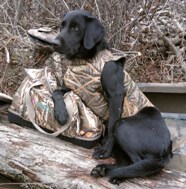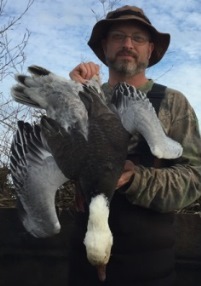
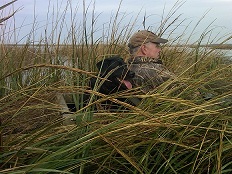
need some photo help

greg setter

Well-known member
Supporter
I have been taking pictures with my smartphone camera (droid turbo) for the last year or so because it is easier than getting my point and shoot out and I only have to keep one electronic gizmo with me when hunting instead of two. The problem is the resolution on this thing is so sharp that when I shrink pictures in a basic program, like paint, they are so small after they get to 100kb they are about the size of your thumb, so I have not put any up for a while thinking they are too small to really see. I figure some of the good photographers here are taking pics with real camera's and know how to get their pictures to a digital size that they can put up here, so any idea's on how I can do this would be welcomed.
 
All you need to know should be right here-


http://www.duckboats.net/cgi-bin/forum/gforum.cgi?post=2123;sb=post_latest_reply;so=ASC;forum_view=forum_view_collapsed;;page=unread#unread


Free Photobucket is kind of a pain in the tush. You'll have to deal with a few annoying adds, but other than that, a little learning and it will be all you need. The details might be slightly different, the 'bucket has been updated a bit since this thread was first made up, but it still works fundamentally the same.


Another little tip- when you get to the "share" part, you'll want to click on the "IMG" code. Click on it to copy the IMG code, then paste it into your thread,. After doing so, erase the "URL" part of the code, before and after the IMG. That way you won't have those annoying letters in front and behind your pictures.


All you'll want to save is everything in between the [IMG----IMG] codes.


Jon
 
You adjust photos two ways. Size and quality of the photo. I post my pictures at 1000 wide on landscape and 600 on portrait. Once reduced to
that size you can complete the reduction by adjusting the quality of the picture. Not real familiar with paint but you should be able to save on a sliding quality scale of 1 to 10. Nothing anyone looking at your pictures on the internet needs to be over 6 or 7 because the screen isn't going to show higher quality. Reduce the quality when saved lowers the value as much, or more, than reducing size

As Phil says you could let Photobucket resize for you. Here's why I don't do that. Photo bucket resizes destroy quality in photos. You can look at your photo before posting and then after and the quality difference will be stunning. It's their compression algorithm that causes that. Resizing yourself so that photo size is results in better resolution sharpness and color when you post

One more thing. NEVER SAVE A PHOTO WITHOUT PRESERVING YOUR ORIGINAL. save the original as one name and the re size as another name. You want your original for the future when you want to print or when you have gotten better at ps and want to try again

Steve
 
My advice, download Gimp, it's a free photo software package that has just about all the features as Photoshop, meaning you can do tons of great stuff with it.

Don't be intimidated! You don't have to learn all that stuff to resize pictures. And if you ever want to get better at editing them, it's free and has all the tools you need.

Crop the image so that your subject takes up the whole frame, then resize it like Steve says to 1000 wide. File->Export As and put in .jpg. A window will come up with a quality slider. You can click a preview button and adjust that slider to see what your image will look like at that quality. For the web what I usually do is pull the slider way down until the image looks bad, then bump it up in increments of 10% watching the fuzzies on the transition areas (you'll know what I mean). When it doesn't look any better with that last 10% I save it. Then upload to photobucket.

As Steve says, SAVE YOUR ORIGINAL!
 
I started with photo bucket but had some issues and switched to Flickr. I think it's still free. Easy to upload photos right from your phone. Also easy to copy and paste for inline pics when posting on here. Gives you size options when you copy the link. Quality is usually still good after resizing and posting on here.
 
I noticed that when I post a photo to my Facebook page and then re-save it from there, it is already re-sized and compressed in a range from 85-115kb.
So I have started posting the photos to my FB online album, deciding whether I want them to be posted so friends can see them or only private and then re-saving with a new name on my laptop. In the instances where they are over 100kb limit for here, I use MS Office or Paint to crop the picture or slight resize to fit.
All the pics in my posts this season have been done this way and as you can see the quality if pretty good.
 
As I understand it whatever you post on Facebook belongs to Facebook and they can use it wherever and whenever they want.....now for dead duck shots that might not be an issue but for other shots I think it is.....as a result I post very little to Facebook......personal thing that I know would likely never be an issue but there it is.....
Where you "save" you're photos is a personal choice but if that service "compresses" your photos when you download them you are loosing quality that you might want in the future if you decided to print them........all of those services are good for providing a platform for posting on the internet but they suck for preserving the original quality of your photo.....again for most people the only place their pictures will be on the net, and nothing wrong with that, but I urge you to save the ORIGINAL, (before any cropping and PS work), on your computer, or better there and on an external hard drive, so that you have that so that if you ever want to do more with it than just post on the internet that you have it......


Steve
 
I use FB to keep in touch with friends and family as we are all spread out all over the country.
I am very careful about what I post, no pics or posts I would not want a potential employer to see, no off the wall comments on my current work, no pics of our kids and no political diatribes. I am very careful about the dead critter pics I post, try to keep them as tasteful as pics of dead critters can be.

And yes, I save the original pictures before compressing, always!
 
Carl, my "you" was not meant to be "specific" but you make some good points about that particular Social Media site.....applies to all of them of course but few use it in the way you do....for another thread...


Steve
 
Good stuff, thanks everyone. After I posted this I tried saving them as gif images instead of jpeg's and was able to work the size better and still keep it where the photo will work on a site like this. I am going to download gimp, thanks for that advice.
 
Back
Top