
You are using an out of date browser. It may not display this or other websites correctly.
You should upgrade or use an alternative browser.
You should upgrade or use an alternative browser.
photo,s
- Thread starter perry
- Start date
Brad Harshman
Member
I just uplaoded pictures today with the help of Dave:
Here is what I did:
(1) Uploaded the photos as directed below the message pane.
(2) Put the Cursur where I wanted the photo to go.
(3) Clicked the image Icon above the window pane.
(4) Checked the inline box, then checked the photo I wanted and clicked Submit.
I did this step for each photo.
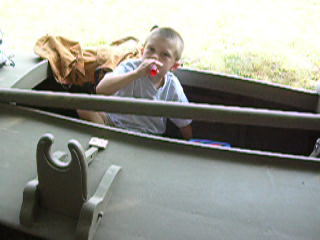
View attachment DUCK BOAT.jpg
Here is what I did:
(1) Uploaded the photos as directed below the message pane.
(2) Put the Cursur where I wanted the photo to go.
(3) Clicked the image Icon above the window pane.
(4) Checked the inline box, then checked the photo I wanted and clicked Submit.
I did this step for each photo.
View attachment DUCK BOAT.jpg

TimJ
Well-known member
Perry,
Since you post pictures fairly regularly here you might want to look at photobucket. It's easy to set up an account. You don't have to worry about the size restrictions on here and you can edit the size right there if they are big to view properly. They give you a link to copy under each picture that you can paste right into your post.
Tim
Since you post pictures fairly regularly here you might want to look at photobucket. It's easy to set up an account. You don't have to worry about the size restrictions on here and you can edit the size right there if they are big to view properly. They give you a link to copy under each picture that you can paste right into your post.
Tim

perry
I don't remember that. Just what is it that is happening when you try and upload a picture? What browser are you using?
Eric
I don't remember that. Just what is it that is happening when you try and upload a picture? What browser are you using?
Eric


Huntindave McCann
Well-known member
[font=Verdana,Arial,Helvetica][/font]
[font=Verdana,Arial,Helvetica]I can up load on other sites can't on this site. I clik on browser, select picture, clik open, click on inline,,,,, Stop! At this point you need to click on "upload attachment",,,, click area on screen, then clik on image nothing. bill [/font]
[font=Verdana,Arial,Helvetica]
Bill,
It sounds as if you are forgetting one small yet important "click". You need to click on the "upload attachment" button and let the browser do it's work, before continuing on to put the picture into your post.[/font]